
Where to Find the Importers
Open the left navigation, expand Admin, then expand Import. The four importers appear as direct links.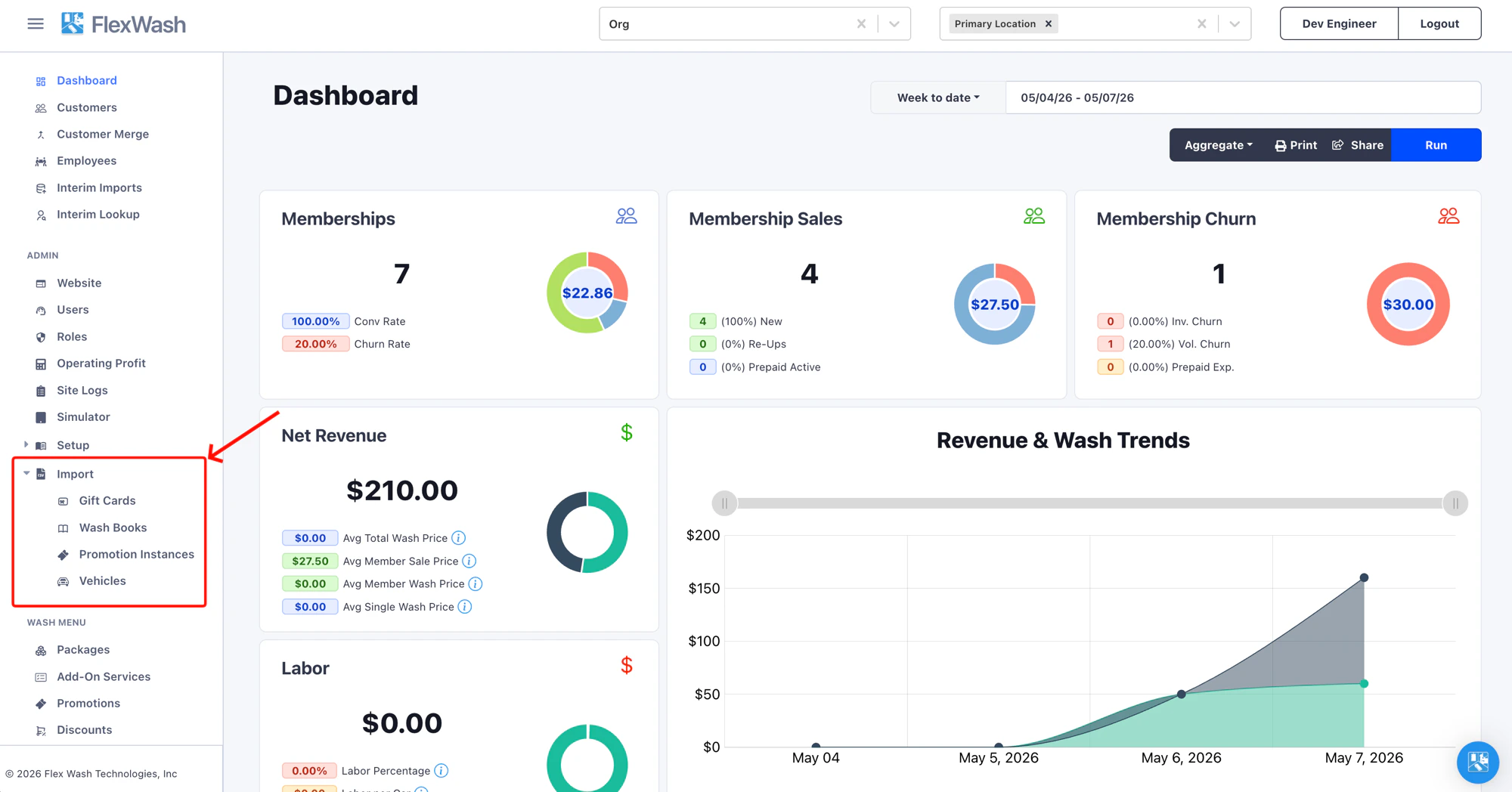
Choosing the Right Importer
Operators routinely confuse the importers because the source data often looks similar. Use this table to pick the right tool before building a file.Re-import anytime, last write wins
Re-import the same file as often as you need. Each row is matched by
its code (or license plate for vehicles), and the most recent upload
wins: records already in your organization are updated in place and
new rows are added. Re-running never creates duplicates.
Upload History
Every importer has a History tab next to Import at the top of the page. The tab shows every file ever uploaded for that importer in this organization, who uploaded it, when, and how many rows were imported.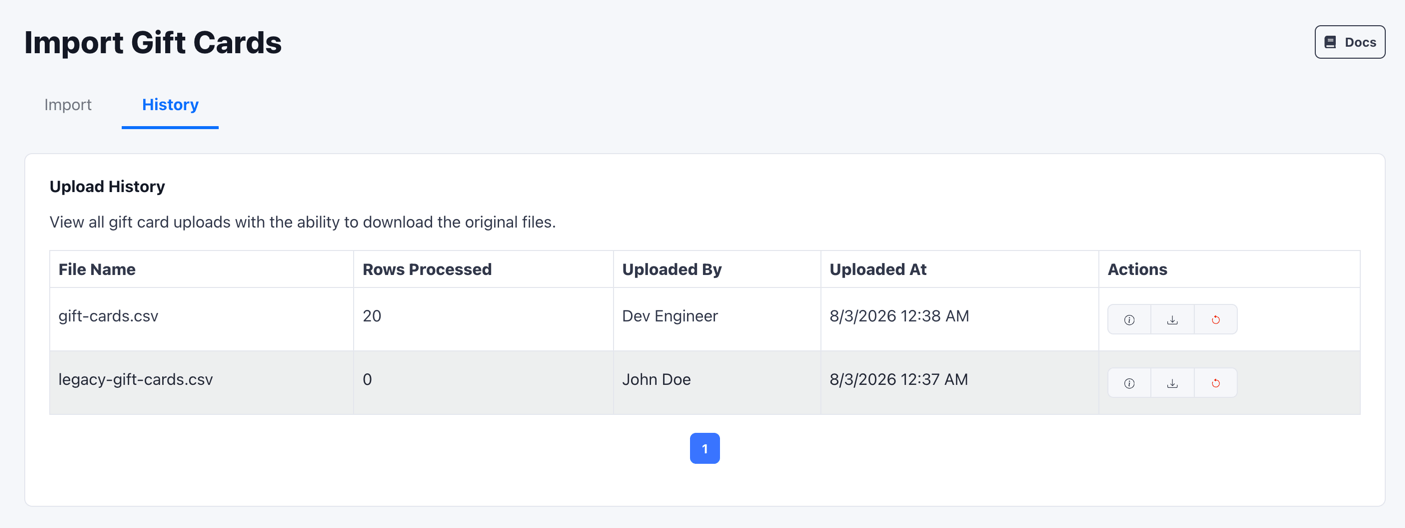
Failed Rows
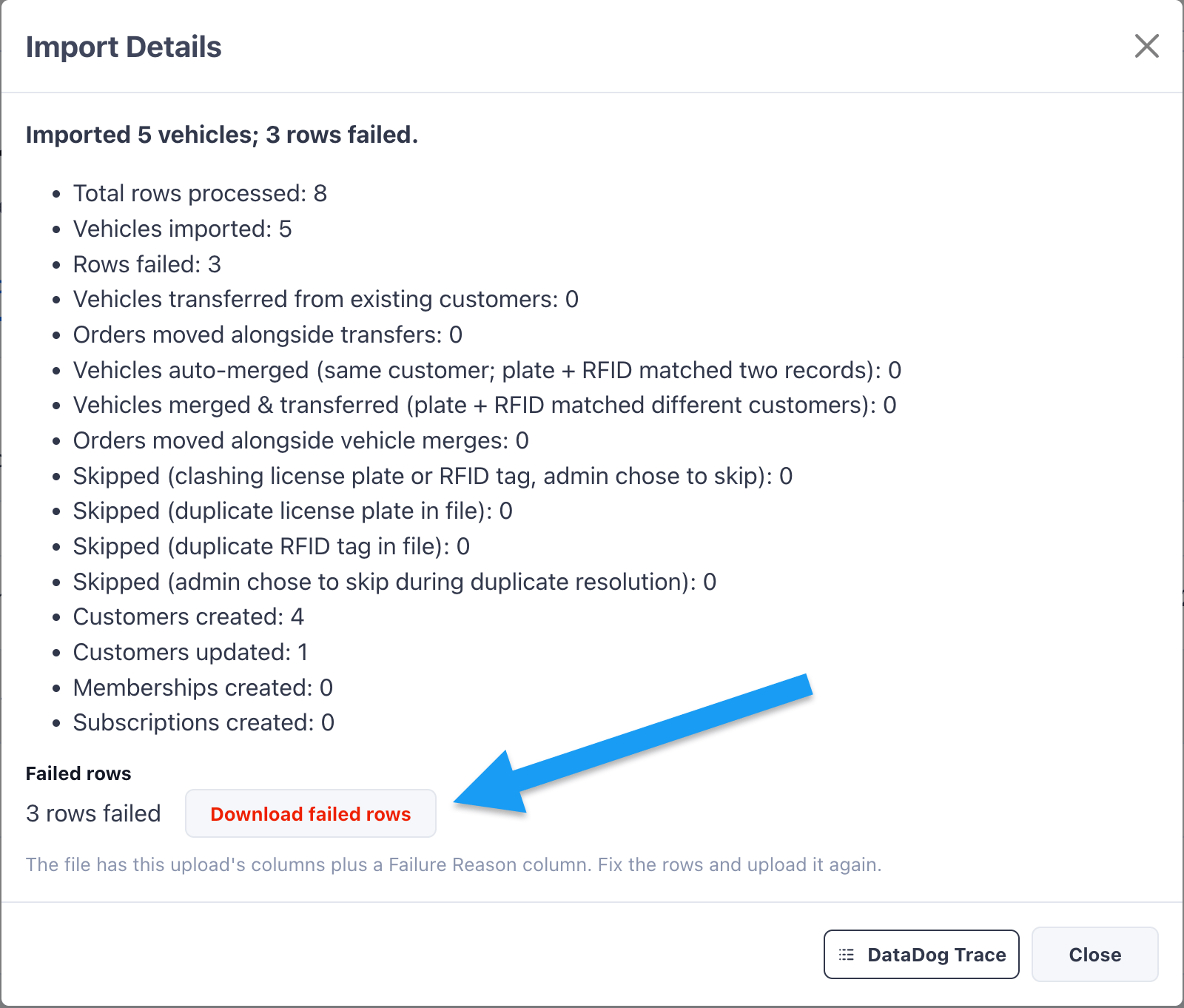
A failure partway through a file never stops the whole import. FlexWash writes rows in batches. If a batch fails, FlexWash skips every row in that batch, records why, and continues with the next batch. Rows in batches that succeed stay imported. When rows fail, the import summary shows both counts, for example “Imported 5 vehicles; 3 rows failed.” Click Download failed rows to get a CSV of the rows that did not import.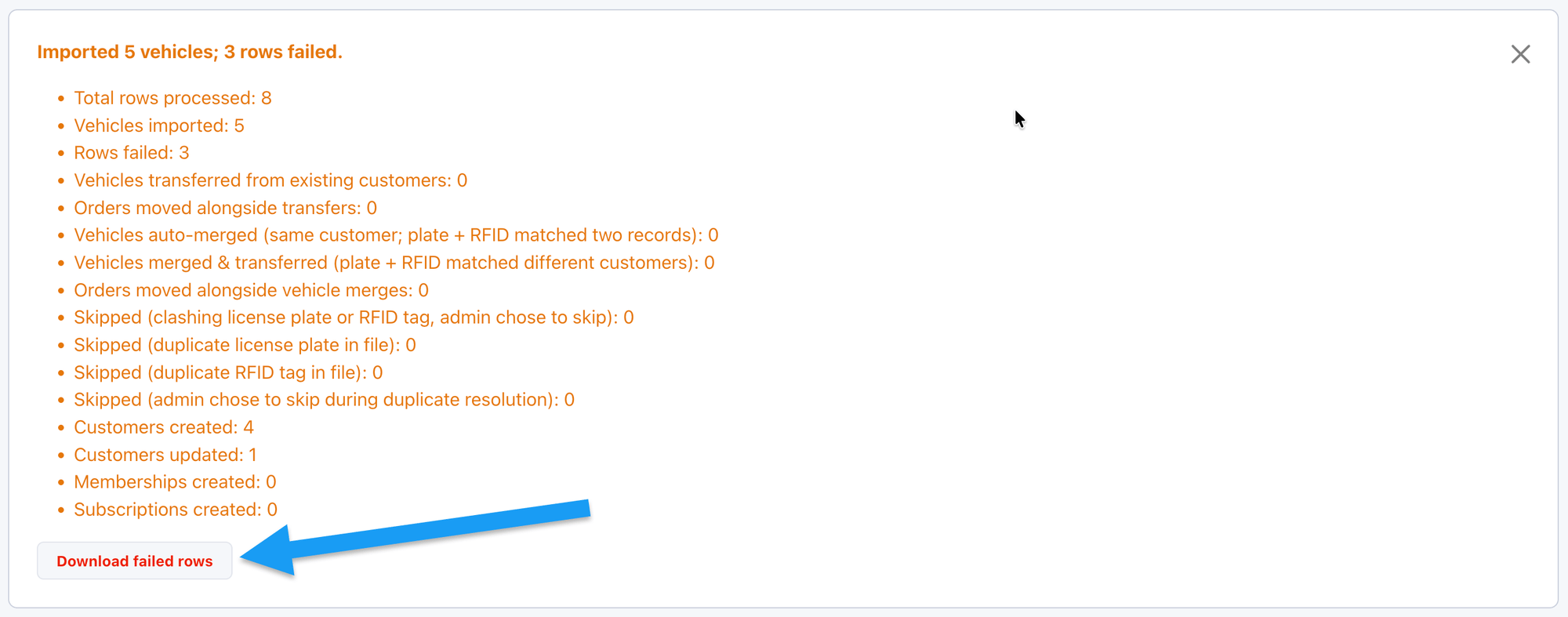
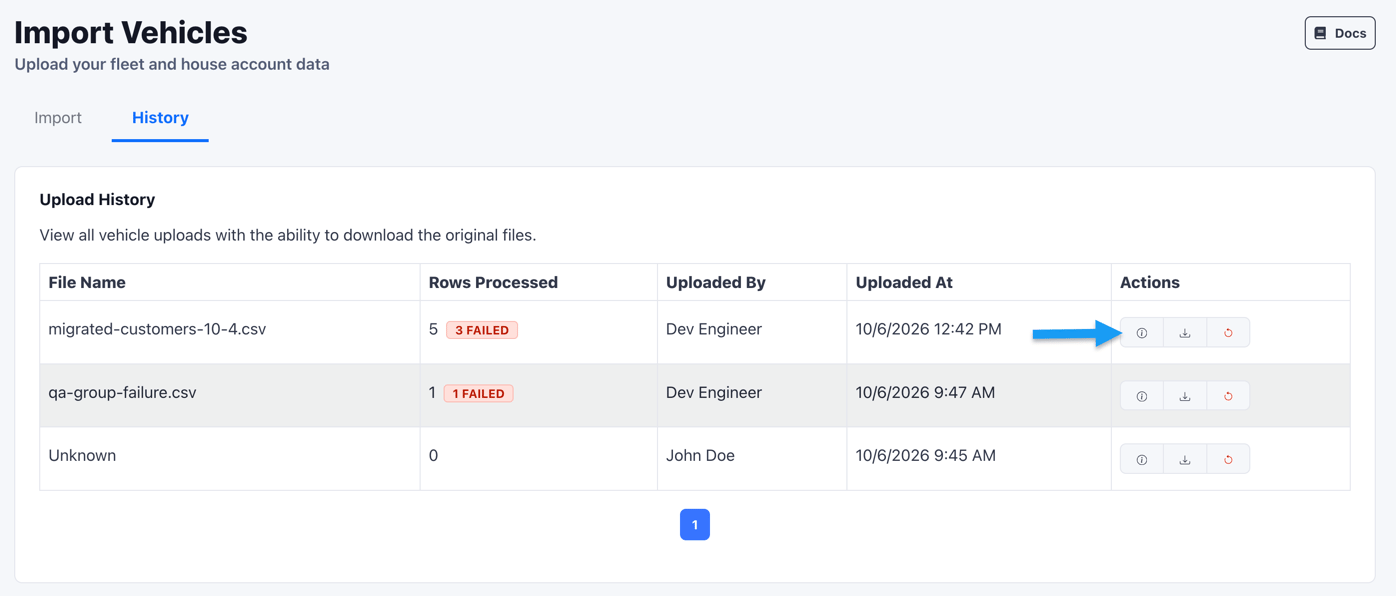
Fix and Re-upload Failed Rows
The file contains only the failed rows, in your original column order, with a Failure Reason column added at the end. The file is always a CSV, even if you uploaded an Excel file.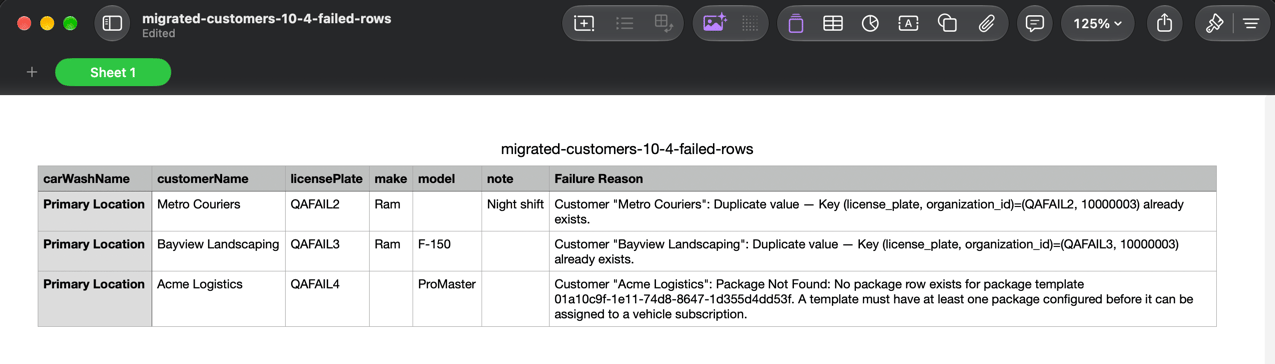
- Fix each row based on its Failure Reason.
- Upload the corrected file on the Import tab of the same importer. You can leave the Failure Reason column in place. The importer ignores it.
Rolling Back an Import
Every row in the History tab has a Rollback option in the Actions column. Rollback removes what a specific upload created, so you can remove a bad file’s imports yourself.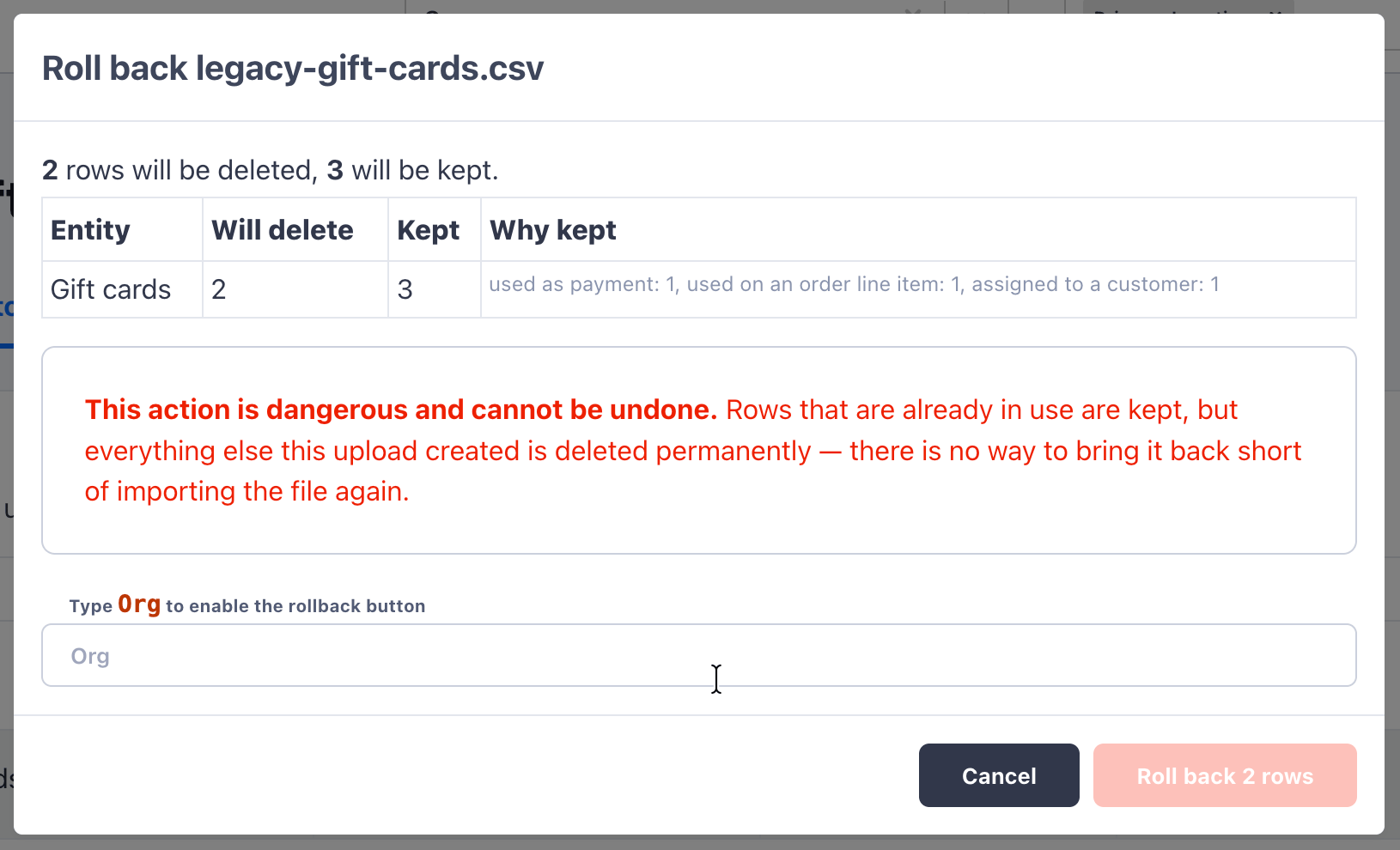
- How many rows will be deleted. These are rows the upload created that are not referenced anywhere else in FlexWash.
- How many rows will be kept, and why. A row is kept if it’s already in use, for example as a payment, on an order line item, or assigned to a customer. FlexWash never deletes a record that would break existing data.
Per-Importer Guides
Gift Cards
Bulk-load pre-printed gift cards with starting balances.
Wash Books
Import prepaid wash bundles tied to a package template.
Promotion Instances
Generate batches of single-use codes for a Wash Codes promotion.
Vehicles
Load fleets, house accounts, and one-shot vehicle rosters with optional memberships.