
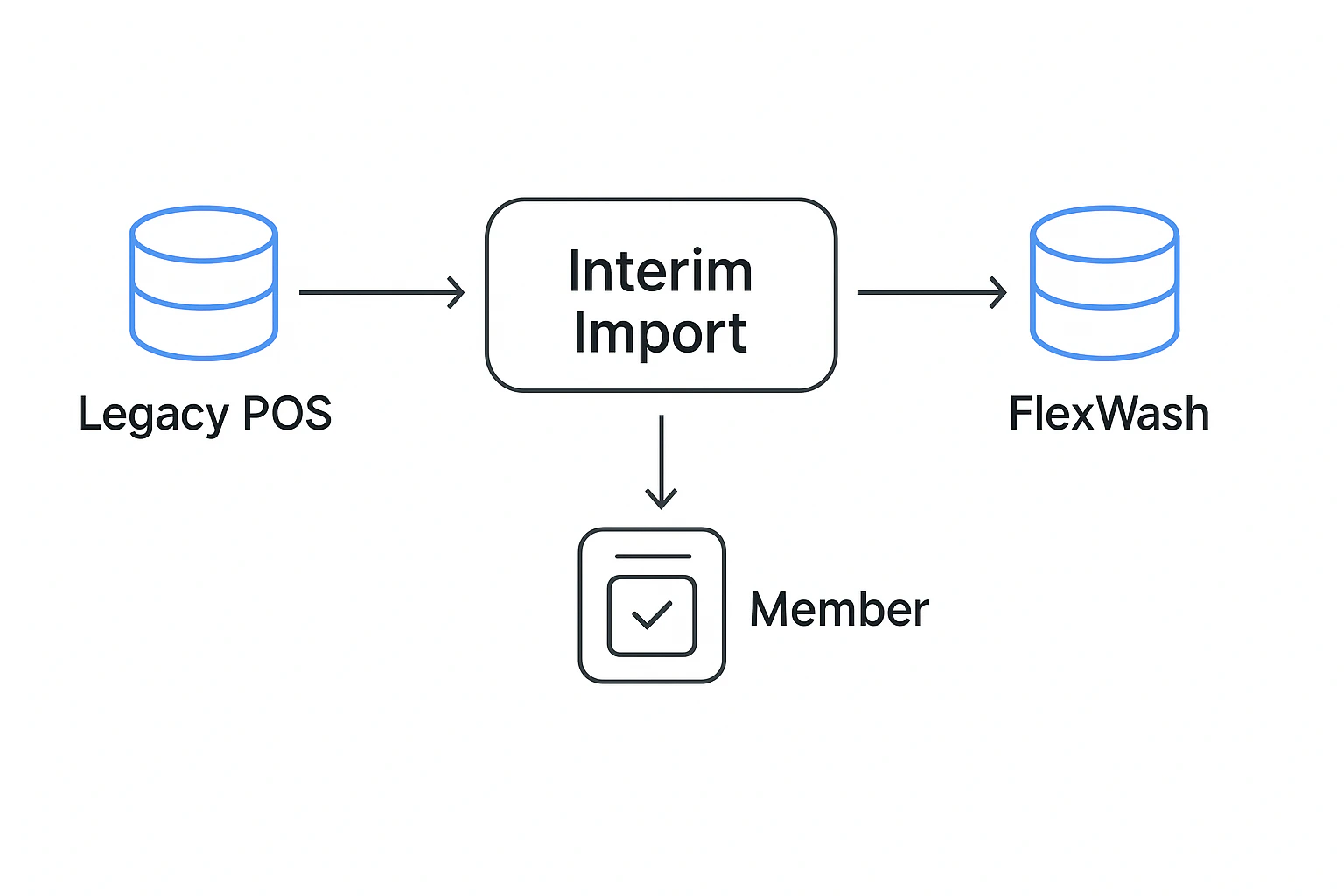
Benefits
- Immediate recognition - Members are recognized right after go-live.
- Frictionless for staff - No manual lookups or overrides by staff.
- Fast daily workflow - Each import takes less than a minute.
- One-time mapping - Legacy plans only need to be mapped once.
- Vendor-agnostic - Works with most major car wash POS export formats.
- Safe and secure - Encrypted uploads with automated file processing.
How It Works
Day before you launch you need to start doing these steps every day until your token migration is complete.1
Export your members
Export your active membership list from your previous POS as a CSV or XLSX
file.
2
Upload the file
Upload the file in the Interim Imports section of FlexWash.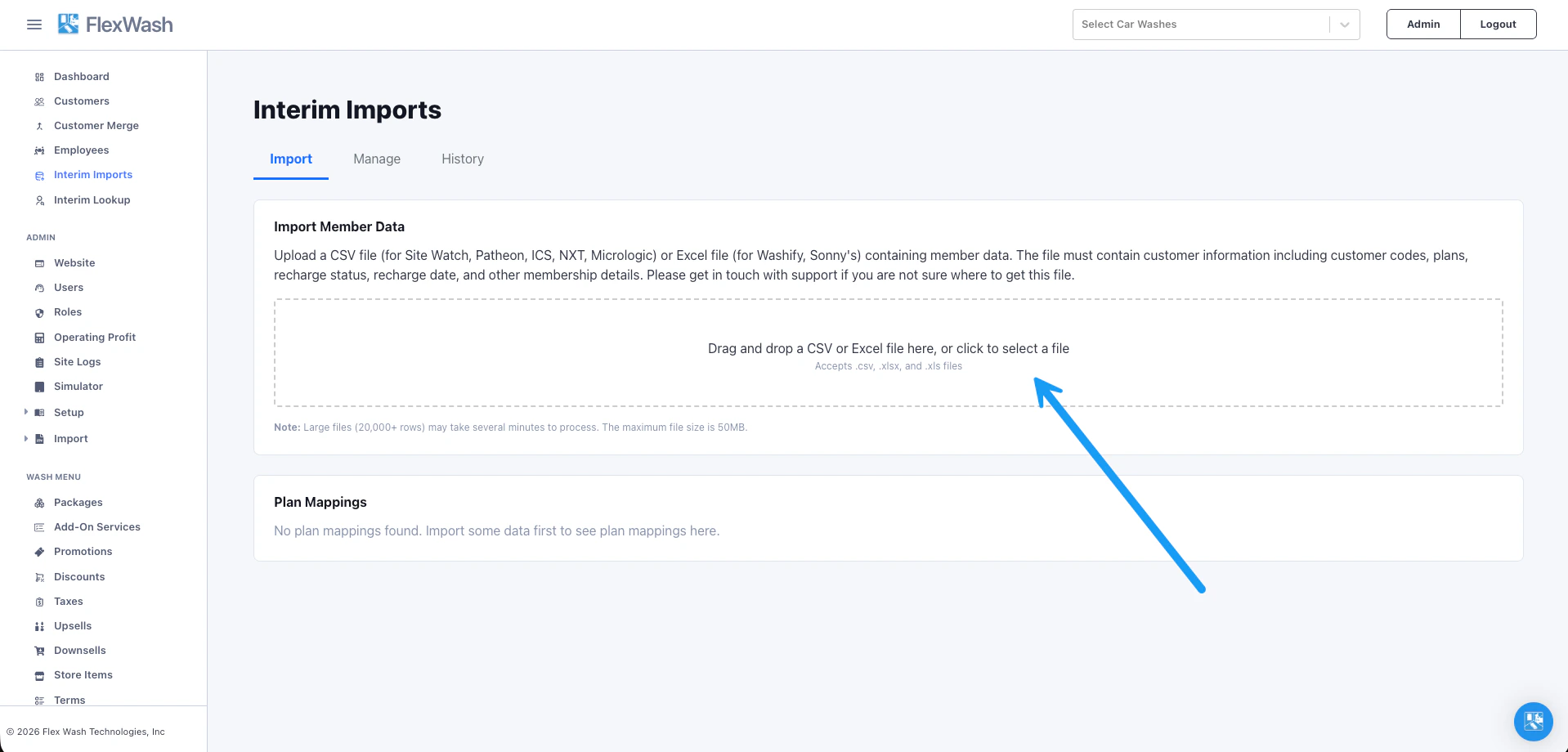
3
Map your plans
Map legacy membership plans to your FlexWash packages.
4
Run the import daily
Repeat the upload each day until token migration is complete.
5
Members stay recognized
Active members continue to be recognized correctly at the pay station.
Plan Mapping
The first time you upload an Interim Import, FlexWash asks you to map plans from the old POS to packages in FlexWash. This step is important because FlexWash uses these mappings to determine which package each member receives.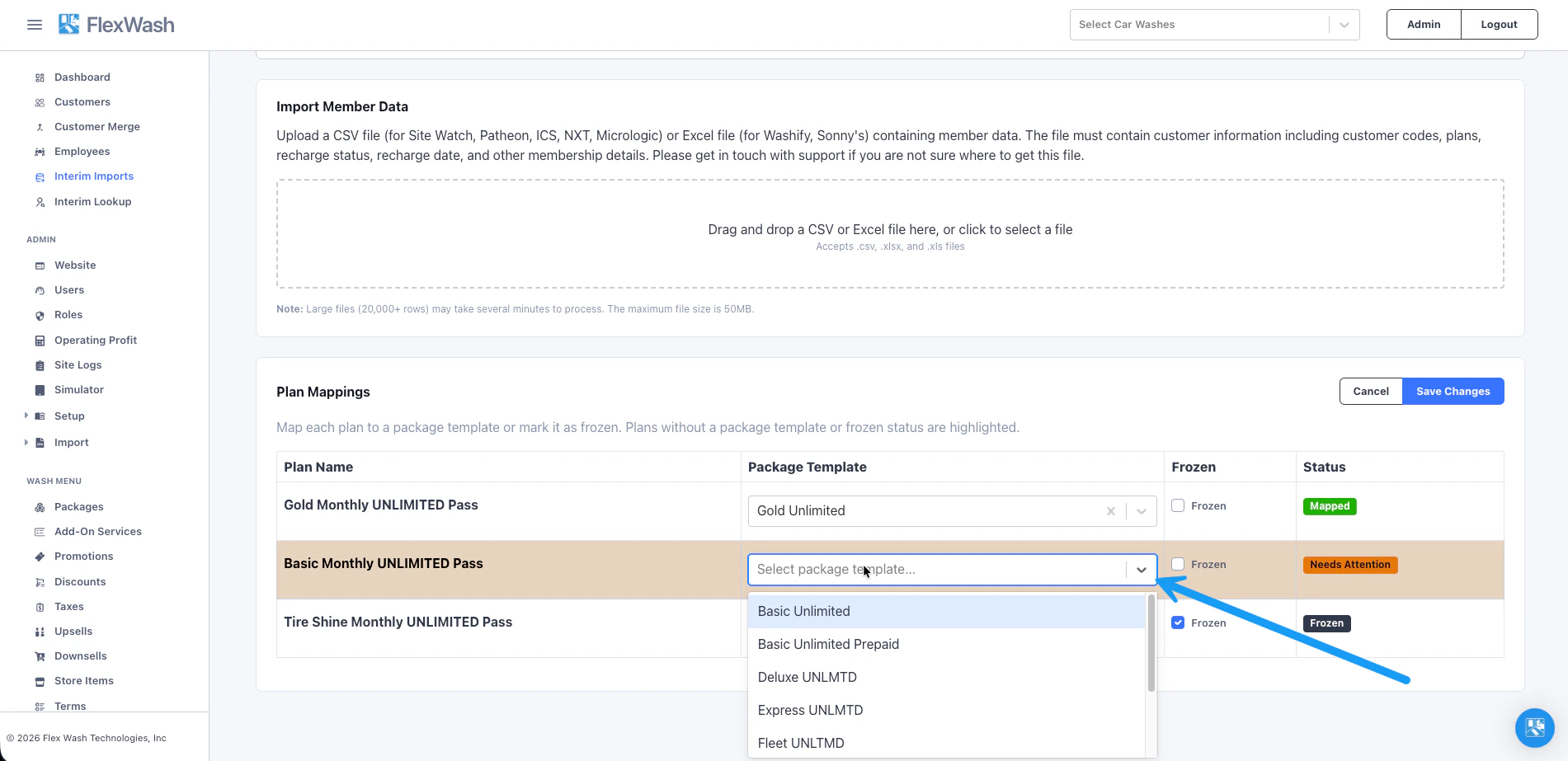
Once plans are mapped, FlexWash remembers them for future imports, so you only
need to map each plan once.
License Plate Backfill
If you are importing members with RFID tags, you can have the FlexWash LPR camera automatically detect each customer’s license plate and populate the vehicle’s license plate field. To enable this feature, turn on Interim Import License Plate Backfill in your Car Wash Config. If your files carry the RFID tag in the License Plate column, see License Plate Backfill for how FlexWash resolves plate and tag clashes at import time.How to Test
Before launching FlexWash do a sample import and use the simulator to verify an Interim Import member is recognized. Enter the license plate in the simulator and verify the vehicle is recognized as an Interim Import member, with the membership benefit automatically applied and the ability to redeem the wash.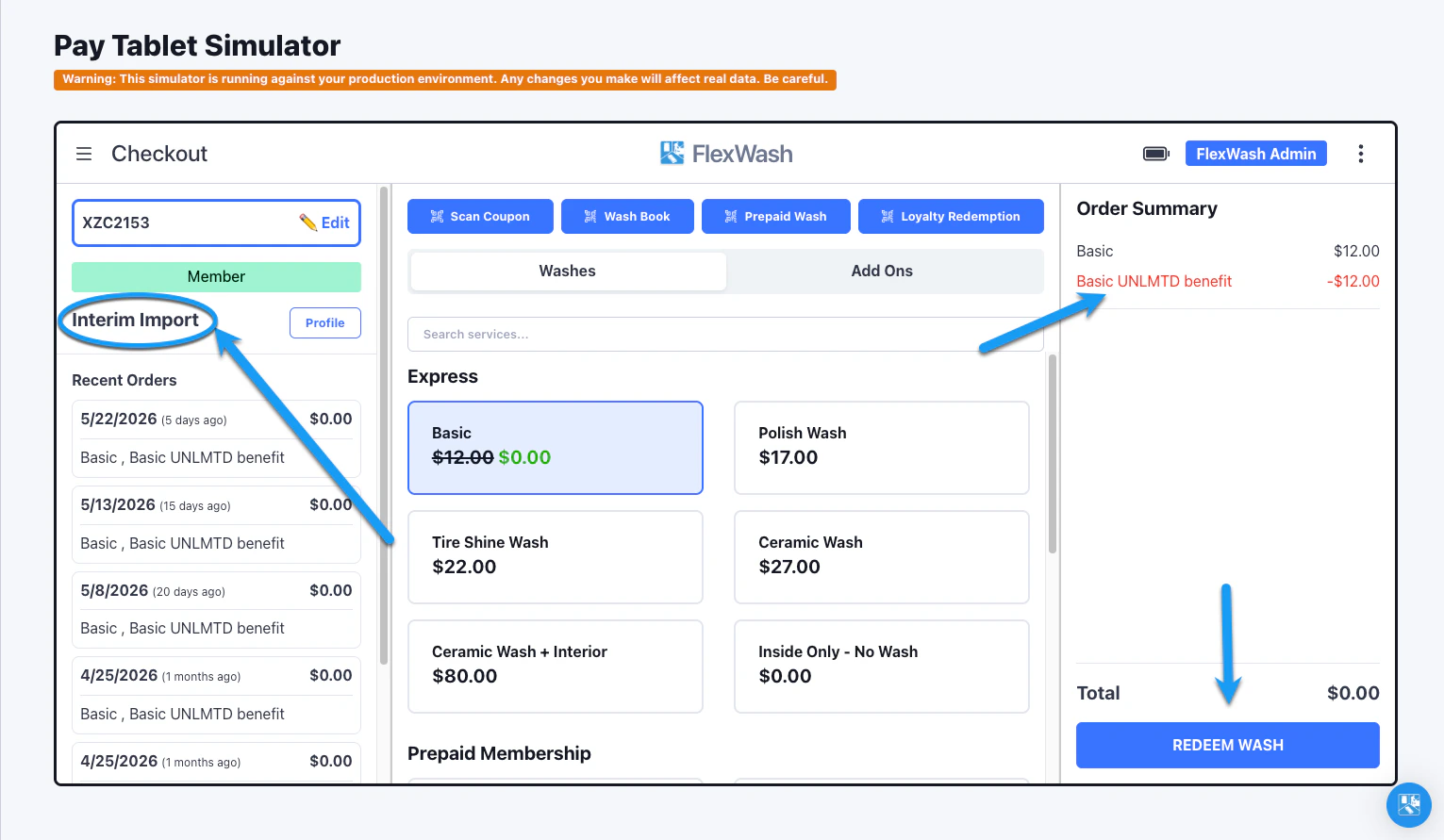
Troubleshooting
Active Member Issues
If a member who is active in your Ex-POS does not appear as an Interim Import member in FlexWash, check the following.1
Search for the license plate
Go to the Manage tab and search for the vehicle’s license plate.If the plate does not appear in the results, it was never imported. Open
the export file that was uploaded, confirm the plate is present, and
verify the correct file was uploaded.
2
Check the Status column
Hover the status icon to see why the vehicle is or isn’t recognized as
active.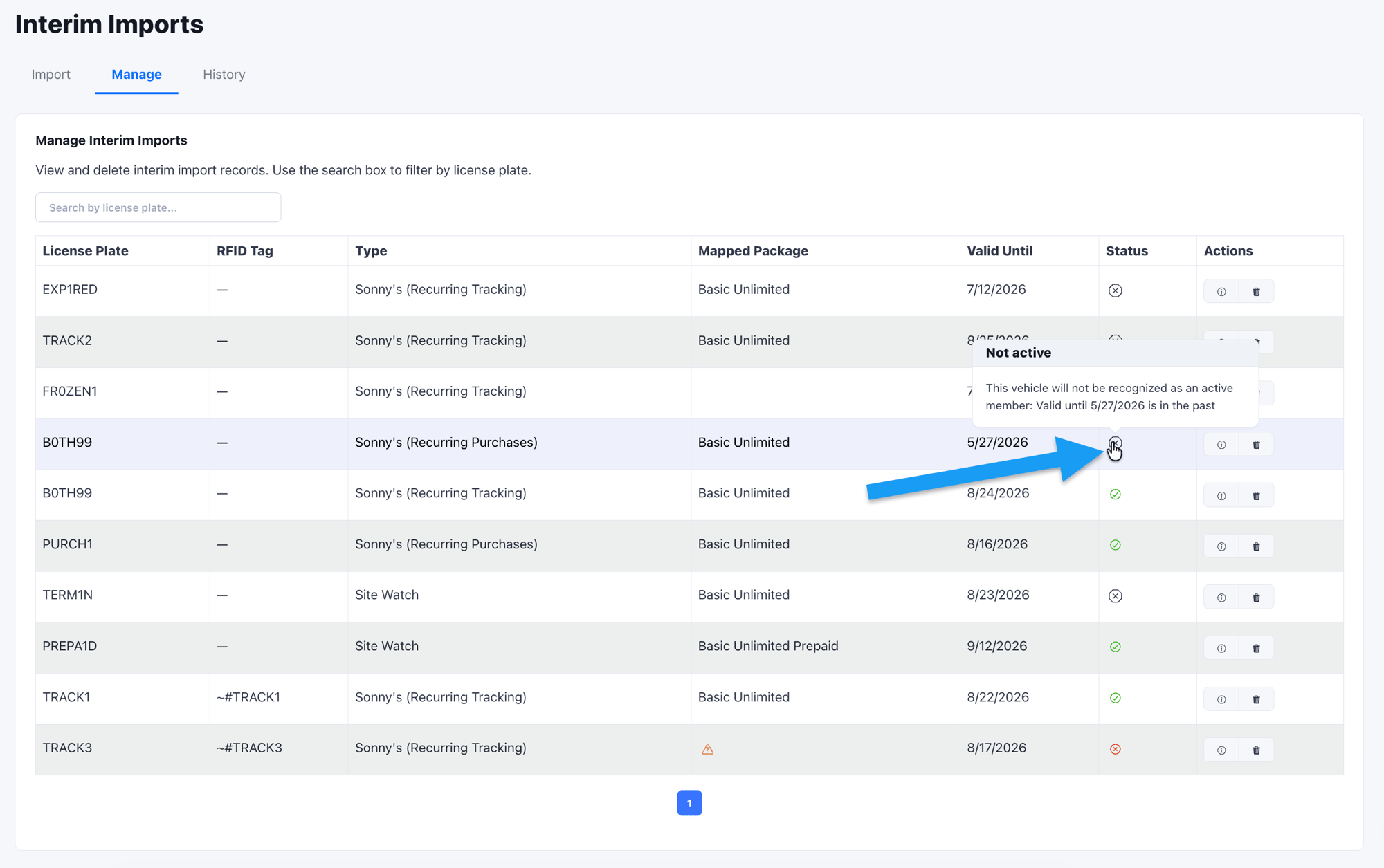
3
Check Valid Until
Valid Until is the date through which the vehicle is recognized as an
active member. If this date is in the past, the record has expired and
needs a fresh import from your Ex-POS.
4
Verify the plan mapping
Confirm the Mapped Package column shows a valid FlexWash package. If
it is empty, the plan needs to be mapped under Plan Mappings on the
Import tab before the member can be recognized.
Click the details button under Actions to open a record’s full history,
including the plan name, recharge date (what it represents for that import),
and the date the record was inserted.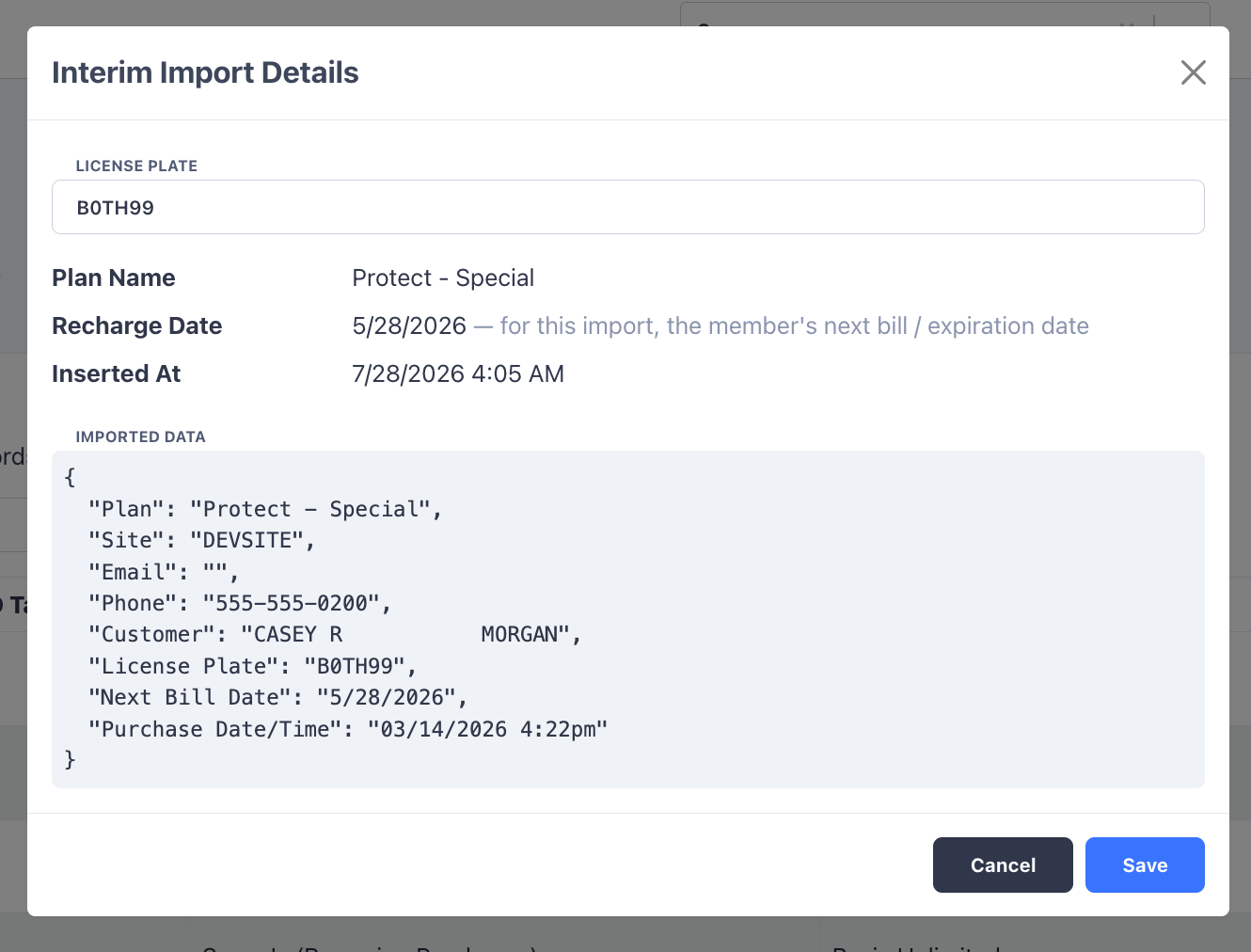
Non-Active Member Issues
If a member is not active in your Ex-POS but is treated as active in FlexWash, search for the member in the Manage tab, open their details, and check whether the Ex-POS records indicate the member is active.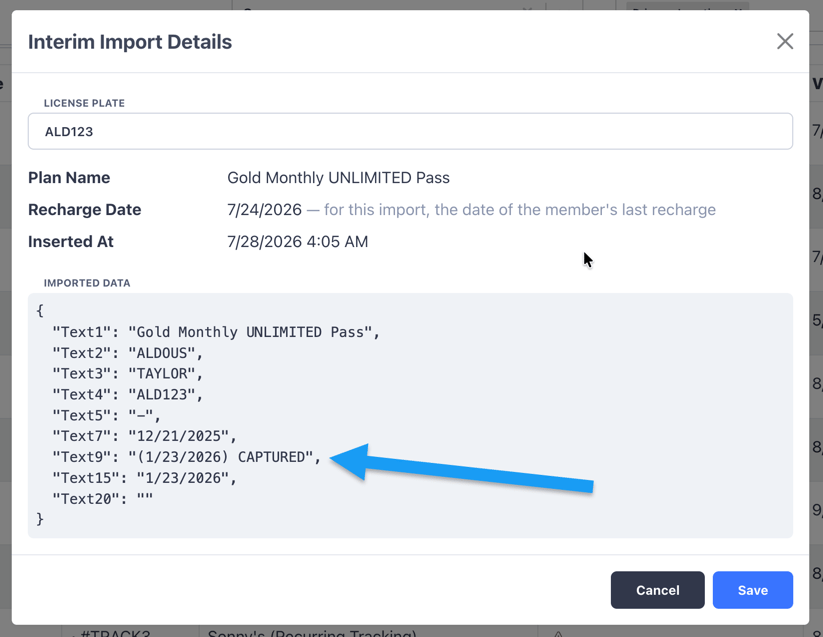
What Interim Imports Does Not Do
Interim Imports does not:- Change anything in the legacy POS.
- Handle billing.
- Replace token migration.
- Require downtime.
- Interrupt normal operations.